
As of 11 November 2026. A field report on the ASRock 4U12G BC-250: a former mining rig with twelve boards, each one a Sony PS5 APU with 16 GB of GDDR6. We run it without a single drive in the boards: each one boots over the network from a shared boot server. All figures were measured on our rig, and the conditions are stated next to them. The single board, its memory split, the governor and the 40-CU unlock are covered on the AI Box BC-250 page. This page is about what the pack of twelve adds.
0. Summary
| What | Our result |
|---|---|
| Rig | ASRock 4U12G BC-250, 12 boards, 2 power supplies of 1200 W each, 5 fans, 200–240 V |
| Drives in the boards | none, except one NVMe in the master board (see 6) |
| Boot | PXE → iPXE → kernel and initramfs over HTTP → Fedora 44 with NFS root |
| From wake-up to SSH | 57 s and 64 s measured (Wake-on-LAN, 3 of 3 boots successful) |
| qwen3:14b Q4 (9.3 GB), 40 CUs | 35.1–35.2 T/s per board, measured on 3 boards, 400 tokens per run |
| Loading the model over 1 GbE | 93–100 s (one board on its own), 14.3 s from NVMe |
| 40 CUs under load | 3 of 5 tested boards pass, 2 fail within seconds and run with 24 CUs |
| BIOS flash | none; two BIOS switches per board for network boot |
What the rig is not: one big computer. It is twelve separate ones with about 13 GiB of usable graphics memory each. A model that fits on one board runs twelve times in parallel. We have not yet measured spreading a larger model across several boards.
1. The hardware
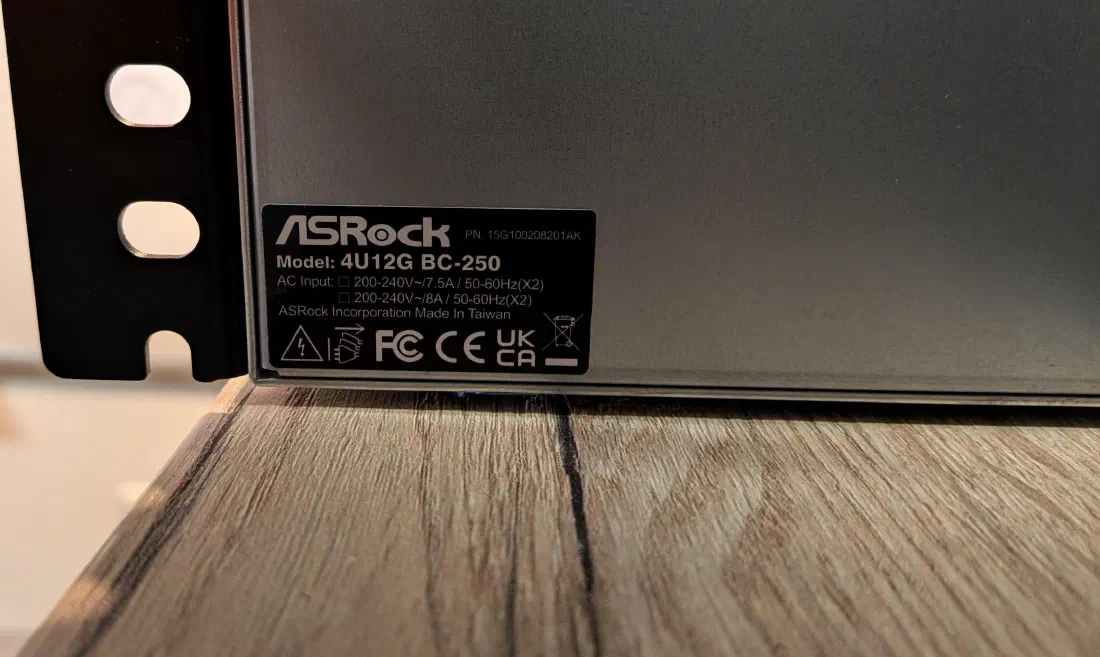
- Chassis: 4 rack units, twelve slots, one power distribution board with two 8-pin connectors per board.
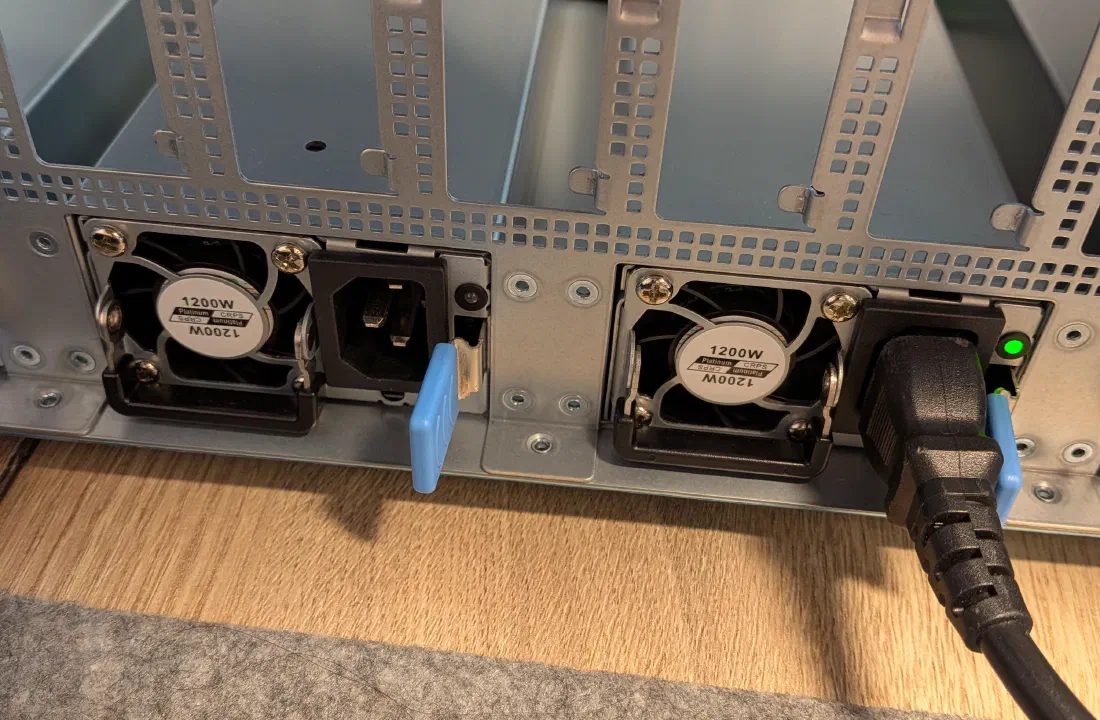
- Power supplies: two units of 1200 W each (CRPS, hot-swappable). They are not redundant: each one feeds six boards. With only one supply connected, the second half of the slots stayed dark for us.
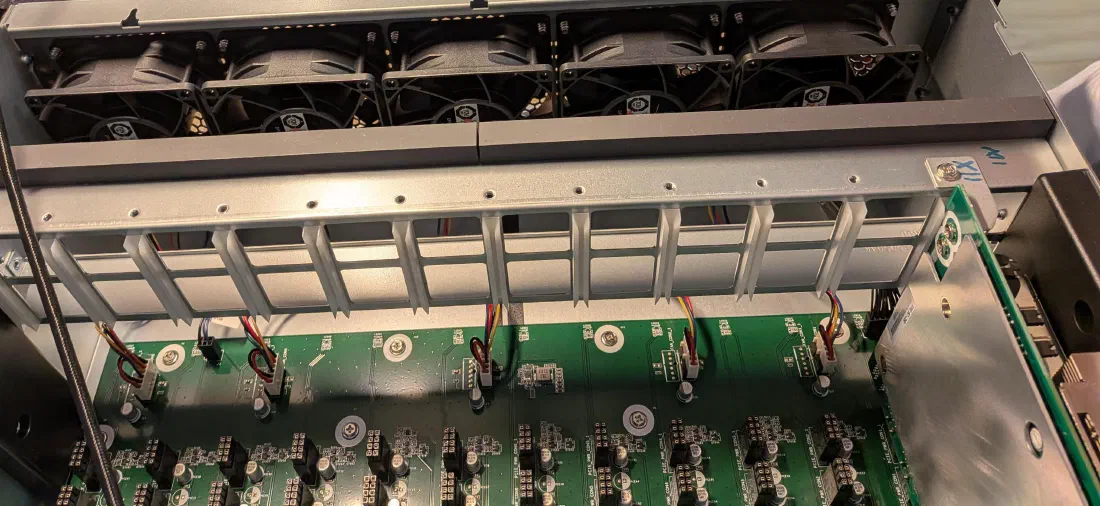
- Fans: five at the front wall, connected with four wires. About 8,700 rpm at idle and 13,300 rpm under load. This is a device for the server room.
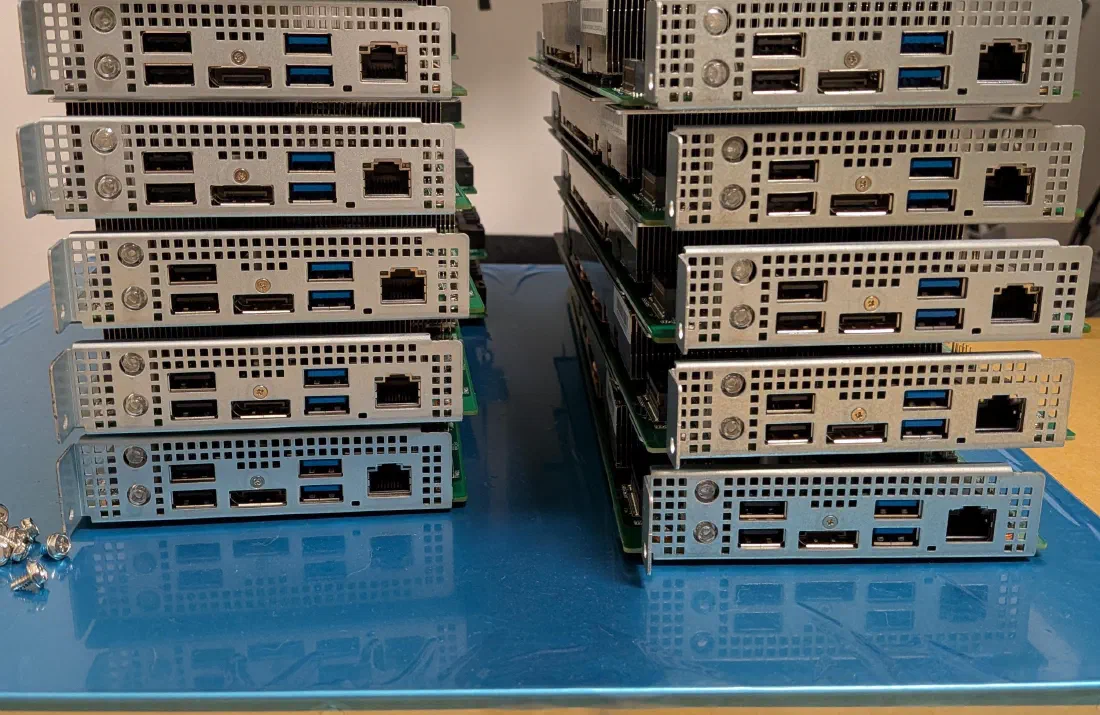
- Boards: each has DisplayPort, four USB ports, gigabit LAN and an M.2 slot. All of ours report BIOS P2.00.
2. Why no drives
We did not want to buy twelve NVMe drives, install twelve times and maintain twelve systems one by one. With network boot there is one system on the boot server, and a new board only needs power and a network cable.
   Board (no drive)                    Boot server (one small VM)
   ────────────────                    ──────────────────────────
   BIOS: PXE IPv4        ── DHCP ──▶   DHCP server names boot server + file
   loads ipxe.efi        ◀─ TFTP ──    dnsmasq (TFTP only)
   iPXE: boot.ipxe       ◀─ HTTP ──    nginx
   registers itself      ── HTTP ──▶   creates the board's system copy on
                                       first contact, exports it over NFS
   kernel + initramfs    ◀─ HTTP ──    nginx (150 MB)
   Fedora boots          ◀─ NFS  ──    the board's root file system
   model is read         ◀─ NFS  ──    model files, shared by all
The boot server is a Debian VM with four services: dnsmasq for TFTP, the
iPXE binary from the Debian package, nginx and the NFS server. The boot
options come from the existing DHCP server. What matters there is a separate
file name for iPXE, otherwise iPXE loads itself again after starting.
3. Per board: two BIOS switches
Network boot is off by default. Each board needs a monitor and keyboard once (Del at start-up, Advanced tab):
- Network Stack to Enabled
- then Ipv4 PXE Support to Enabled
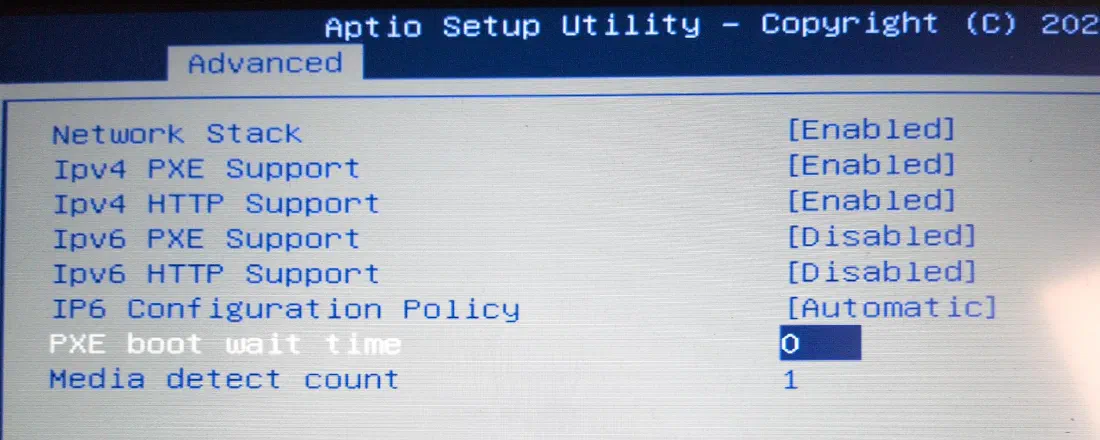
IOMMU stays off, as on the single board. Everything else happens without a screen: the board registers with the boot server and receives its system. The memory split (512 MB fixed, the rest dynamic) also has to be set once per board. That works remotely and needs one reboot.
4. The system on the boards
The image is a Fedora 44 at the same level as our single board: kernel 7.3.3, Mesa 26.2.6 (Vulkan), GPU governor, Ollama 0.40.13 and the 40-CU unlock as a service. It is built on the boot server into a directory, and the initramfs contains the network driver and NFS.
On its first boot each board automatically gets its own copy of that directory (35–50 s for us). The model files are not copied. All boards read them from the same place. The host name is derived from the MAC address.
This is the quick solution. It has two drawbacks we still have to fix: each copy costs 4.6 GB, and a later change to the image does not reach the existing copies by itself. The goal is one shared, read-only image with a volatile writable layer per board.
5. Measurements
All values with qwen3:14b (Q4, 9.3 GB), Ollama over Vulkan, 400 tokens per run.
| Measurement | Result | Condition |
|---|---|---|
| Generation, 40 CUs | 35.1–35.2 T/s | three boards measured individually |
| Clock and temperature under load | 1850 MHz without throttling, 71–79 °C | master board computing as well, fans at 13,300 rpm |
| One board without help from the fans | 85 °C after about a minute, throttled to 1430 MHz, 33.9 T/s | only this board under load, fans at base speed |
| Single board in a printed case for comparison | 35.2 T/s, throttles to about 1490 MHz after roughly 100 s | see AI Box |
| Wake-on-LAN to SSH | 57 s and 64 s | 3 of 3 boots successful |
| Reboot from the running system | boots from PXE again | several times on several boards |
| Loading the model over the network | 93–100 s | one board loading on its own |
| Two boards loading at the same time | about 6 min | boot server with 2 GB of RAM, one gigabit link |
| Loading the model from NVMe | 14.3 s | master board, slot with PCIe 2.0 x2 |
Elsewhere you can read that the BC-250’s network card does not reliably boot from PXE after a warm reboot. For us it worked in every attempt. That is a few dozen boots on a single day, not long-term evidence.
6. The master board and the fans
The five fans follow the temperature of a single board only, for us the one in the outermost slot. It is the only board that sees the fans at all. All others report 0 rpm. We measured the consequences:
- If another board computes on its own, the fan speed stays at base level. The computing board reaches 85 °C after a good minute and throttles itself.
- If the master board is off, the fans almost stop. A board that is still powered then gets hardly any air.
We therefore treat this board as the master: it always runs, and we only run load tests while it computes as well.
Why this board, of all boards, has an NVMe
Eleven boards run without a drive, the master board does not. Three reasons, all from our own build:
- It must not depend on the boot server. A board without a drive keeps its whole system on the boot server. If that goes away, the board stops. This happened to us in testing: a script withdrew the shares while boards were running, and we had to switch the rig off at the power switch. For an ordinary board that is annoying. For the master board it would mean the fans are gone for all twelve. With its own drive it keeps running while the boot server is being serviced or is down.
- It has to be ready first. As no load test runs without it, everything waits for its model. Loading over the network takes 93–100 s, and around six minutes with two boards at once. From the NVMe it takes 14.3 s.
- One drive does not contradict “no drives”. It is still one NVMe instead of twelve. A used 120 GB drive is enough, 14 GB are in use. A second, cloned drive is kept as a spare. We have not yet tested booting from it.
Network boot remains the master board’s second entry in the boot order. If the drive fails, it boots from the boot server like the others.
We do not yet have a control that follows the hottest board in the rig. The sensor driver in the kernel can only read the fan controller.
7. 40 compute units: not every board
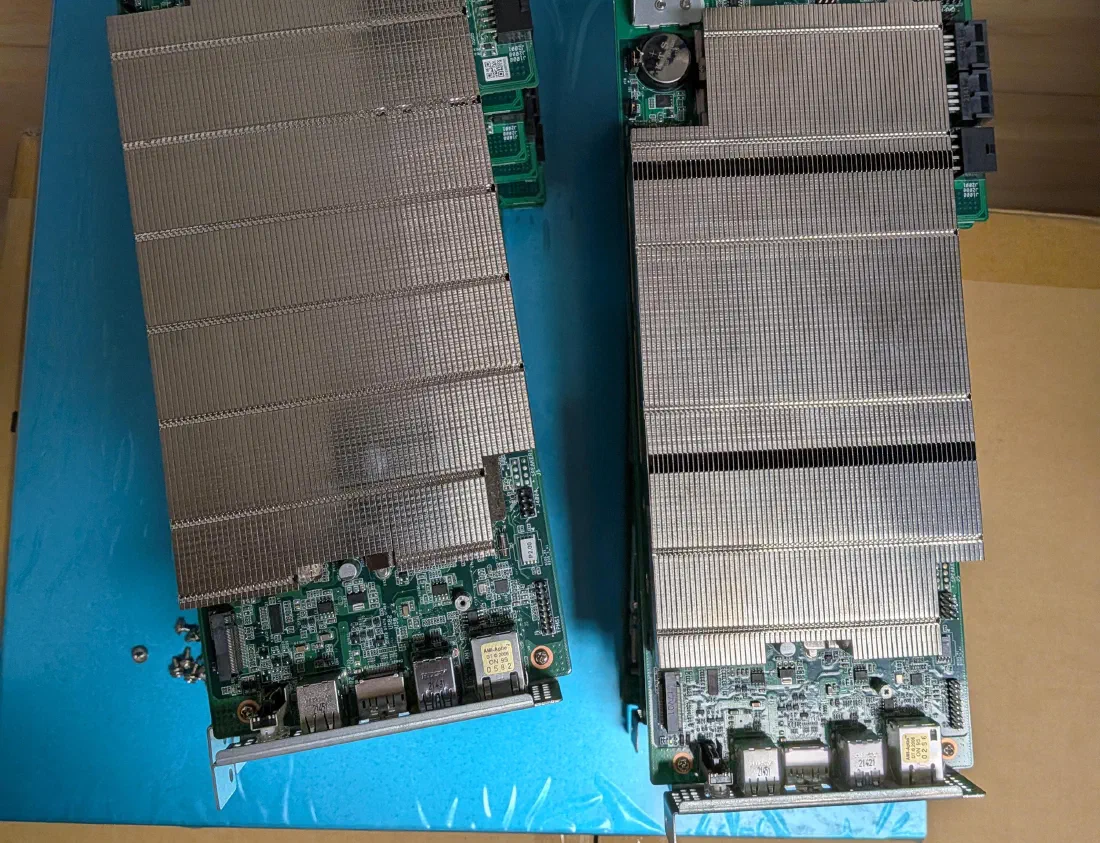
From the factory, 24 of the 40 compute units of the graphics unit are active. The remaining 16 can be switched on at runtime, which gives about 30 % more throughput. The community documentation warns that this does not work cleanly on every board. We can confirm that:
| Boards | Result with 40 CUs under load |
|---|---|
| 3 boards | passed: 6 to 17 runs without errors |
| 2 boards | failed: ring gfx_0.0.0 timeout after a few seconds, after which the board no longer computes |
| 7 boards | 40 CUs active, not yet tested under load |
At idle the fault does not show, and the unlock reports success. It only appears when the board computes. Temperature was not the cause: one of the two boards failed at 63 °C. With the 24 factory units both boot cleanly.
Our rig contains two series, recognisable by their labels: nine boards of one and three of the other. Both failures are in the group of three, and the third board of that group passes the test. With five boards tested this is an observation, not proof of a worse series.
The lesson for operation: test every board individually under load before switching on the 40 CUs permanently.
8. Pitfalls
- Do not plug boards in under power. The power supplies are hot-swappable, the boards on their 8-pin connectors are not.
- No cable, no system, no cooling. An installed board without a network cable sits in the network search and is powered all the same.
- Never revoke the NFS export from running boards. The board loses its system, still shows the login and accepts no command any more, not even a shutdown. Only the power switch helps.
- Loading a model slows the neighbours. System and model arrive over the same link. While one board loads, the others respond sluggishly. Wake boards one after the other, and give the boot server more memory than the largest model.
- Fixed addresses inside the dynamic DHCP range. One of our boards received the address of a device that was switched off, along with its name. The boards need their own fixed addresses outside the dynamic range.
- The first boot of a board takes longer. Until its system copy is ready, the screen repeatedly shows “access denied”. This resolves itself.
- Logs over NFS. The message “Failed to set ACL” at login is harmless. Over the network the log is only committed every few minutes, so after a hard power-off it is no evidence.
- Check what you are told about the BIOS. We were told P3.00, and all twelve boards report P2.00. For operation here it makes no difference.
9. What is still open
- Accept the seven untested boards under load.
- Control the fans by the hottest board, or set them to a fixed, safe level.
- One shared, read-only image instead of twelve copies.
- Measure llama.cpp against Ollama and spread a model across two boards. llama.cpp with Vulkan is built already, but not yet measured.
- Monitoring: temperature per board and automatic shutdown if the master board or its power supply fails.
- Measure the power draw of the whole rig. We have no figure of our own yet.
10. Sources
- Single board, memory split, governor, 40 CUs: AI Box BC-250 with the sources listed there
- BC-250 community documentation (elektricM): https://elektricm.github.io/amd-bc250-docs/
- 40-CU unlock at runtime (WinnieLV): https://github.com/WinnieLV/bc250-cu-live-manager
- Diskless BC-250 rigs for mining, with the BIOS switches (TheJames5): https://github.com/TheJames5/hiveos-pxe-diskless
- NixOS netboot image for the BC-250, not used by us (n3oney): https://github.com/n3oney/bc250-nixos
- iPXE: https://ipxe.org/ · dnsmasq: https://thekelleys.org.uk/dnsmasq/doc.html
- llama.cpp: https://github.com/ggml-org/llama.cpp